If you use WordPress, maybe one of the installed plugins, the cash-optimizers blocks Tolstoy Comments. To make sure find your website id in the Code section of the Tolstoy Comments administration panel and copy it. Try to find it in the source code (ctrl+U) at the page where the widget doesn’t display. If you didn’t find the id there, then the problem is connected with the installed plugins. In most cases you can add our script to the list of exceptions, or you can turn off the JS optimization at all.
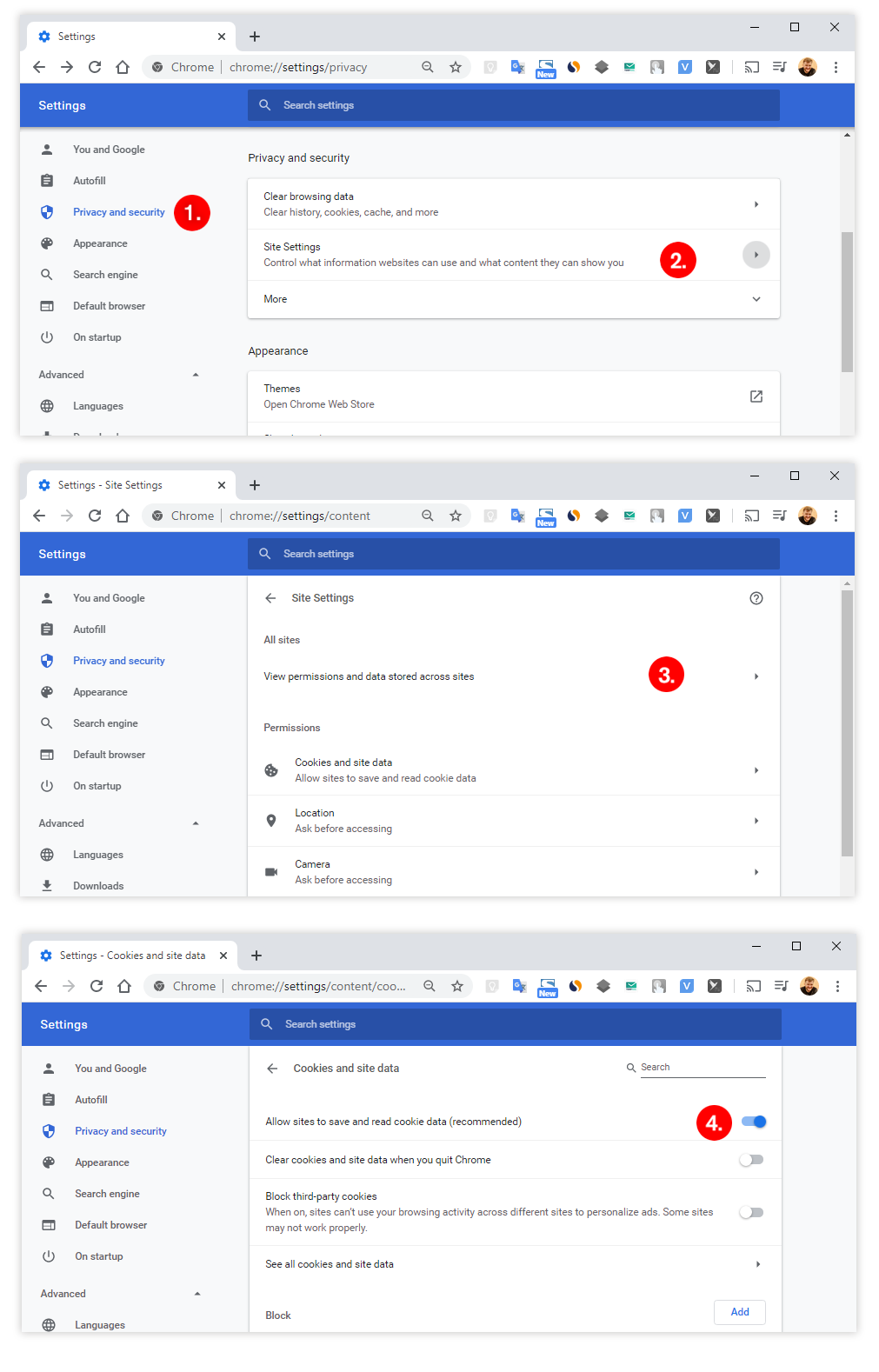
Probably your browser bans other websites to save and read cookie data. (Yes, it happens sometimes). The instruction for Google Chrome follows. Go to «Settings» — «Privacy and security» — «Site Settings» — «Cookies and site data» and make sure the «Allow sites to save and read cookie data» is on.