

It seems to be organized in a quite simple way, but still we’ve made a whole post about it. Here are highlights:
- Every new comments at the site is sent to the section «Unread». There a moderator can approve, delete or edit it. And via the context menu it is possible to ban user or to send all his or her new comments to premoderation.
- The section «Premoderation» collects all the comments from users, which were chosen for premoderation, and all the messages, that contain stop-words or that were indentified by Tolstoy Comments as spam. If the global premoderation mode is on all new comments will be also sent to this section. Do not forget to look them through.
- The section «All comments» collects all the comments without exceptions (oh really?!).
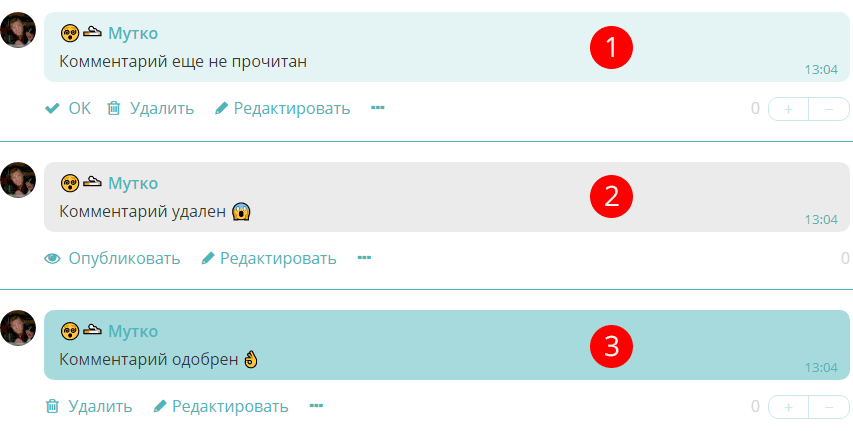
Depending on their status they are marked by different colors. Pale turquoise (p.1) — the comment is published but has not been checked by the moderator yet. Grey (p.2) — the comment is not visible at the site (deleted / identified as spam / written by user in premoderation mode), it is waiting for the moderator approval. Deep turquoise (p.3) — the comment is published and has been already approved by the moderator.
The user can’t edit comments approved by the moderator regardless global site settings.
This is made of the same safety considerations (defence from spam and obsceneties). However the user has right to delete his or her message, approved by the moderator (if the site settings let him or her do it, of course).
A nice bonus. The administrators can moderate (edit / delete) messages at the site directly, without visiting the administration panel.
And here is more information about how to add extra moderators.